Privacy
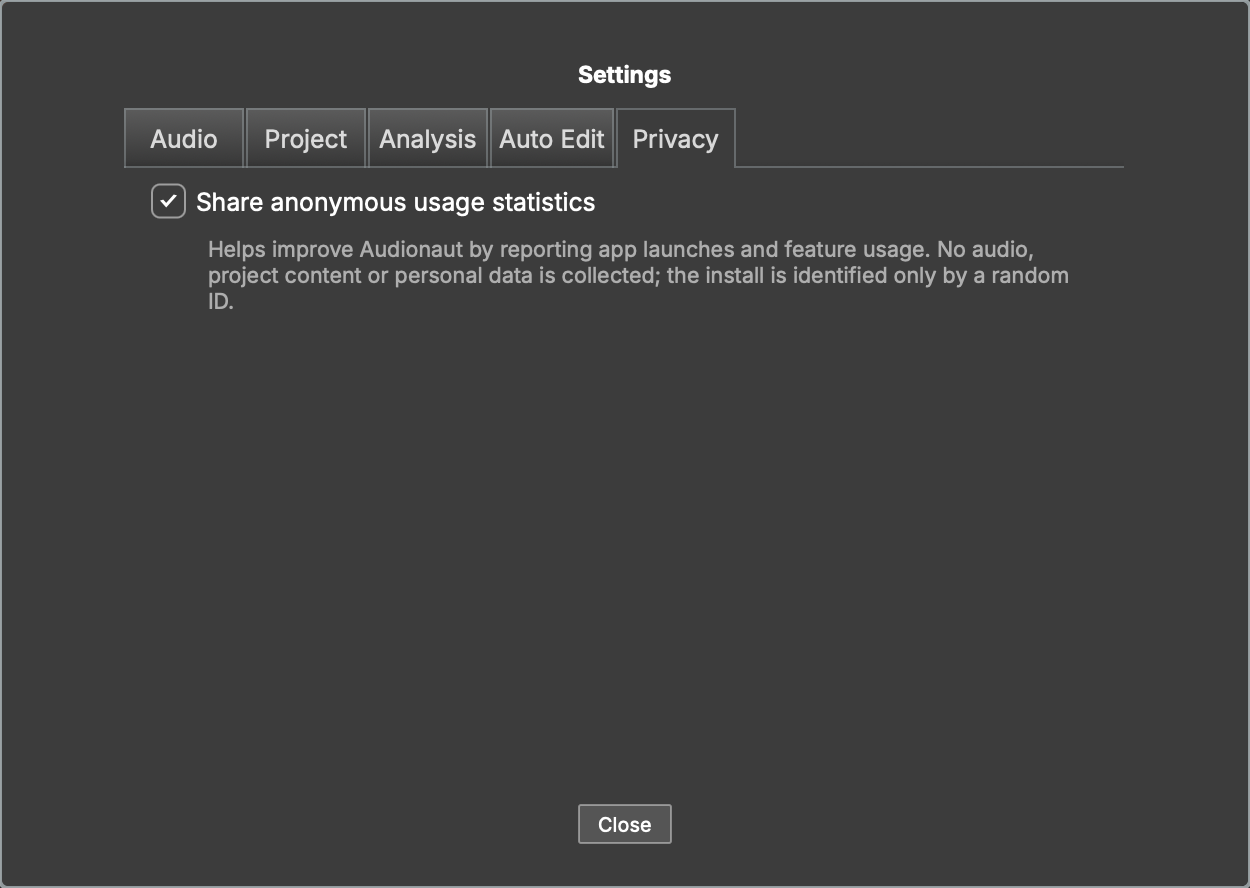
Audionaut can report anonymous usage statistics to help improve the app. This is strictly opt-in: nothing is ever sent unless you agree.
Consent
On first launch Audionaut asks once. You can change your answer anytime with the Share anonymous usage statistics toggle in Settings → Privacy — the change takes effect immediately.
Update check
Separately from statistics, Audionaut checks once a day whether a newer version exists — a single plain HTTPS request to its distribution channel (the App Store for the Mac App Store build, GitHub for the builds downloaded from GitHub Releases) that carries nothing about you or your projects. If an update exists you're told once, with a button to the store or download page; Check for Updates… in the app menu asks on demand. The Check for updates automatically toggle in Settings → Privacy turns the daily check off.
What is collected — and what is not
When enabled, Audionaut reports events such as app launches and which features are used (for example, which menu command or CLI verb ran). Each event carries only the event name and its context (an app version, a verb name, an exit code).
Not collected, ever:
- audio or any project content
- file names or paths
- personal data or hardware identifiers
The install is identified by a random ID generated on your machine; it links events from the same installation and nothing else. Events are sent to Google Analytics; events that cannot be delivered (offline) are stored locally and retried later.
The command line follows the app
audionaut-cli obeys the same consent: it reports a single event per
invocation (the verb and its exit code) only if consent was granted in
the app, and never asks on its own. Setting the environment variable
AUDIONAUT_DISABLE_ANALYTICS=1 silences the CLI regardless of consent —
useful in CI and scripts. Nothing can make the CLI report while consent is
denied or undecided.
Other network access
Apart from usage statistics, Audionaut contacts the network in one other case: when you first use Separate Stems, it downloads the separation model (about 80 MB) from Hugging Face after asking you. The download carries no information about you or your project, and the separation itself runs entirely on your machine — see Stem separation.
Where your choice is stored
The consent flag (UsageStatsEnabled) lives in Audionaut's ordinary
preferences store:
- macOS — the app container:
~/Library/Containers/com.voltmer-systems.audionaut/Data/Library/Preferences/ - Windows — the registry under
HKEY_CURRENT_USER\Software\voltmer-systems\Audionaut - Linux —
~/.config/voltmer-systems/Audionaut.settings
Deleting the key returns Audionaut to the undecided state, and it will ask again on the next launch.
The website
This website (audionaut.app) uses Google Analytics only if you accept the cookie banner. It then counts page views and clicks on the download buttons (which platform was chosen), so we can see how many people find and download Audionaut. If you decline, no analytics script is loaded. You can change your choice anytime with Change cookie settings at the bottom of every page.
The website's statistics are kept separate from the app's: visiting the site never links to the random ID of an Audionaut installation.